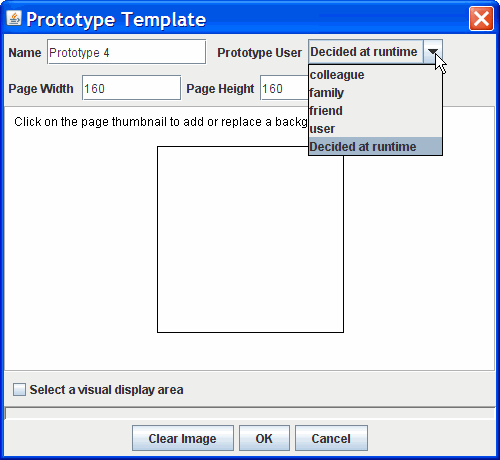
Based on the modeled activities, you can create activity-based interaction behaviors using a combination of techniques, including storyboarding, demonstration and scripting . ActivityDesigner allows multiple prototypes to be created at the same time. To create a prototype, click on the New Prototype shadow in the Prototype panel. This brings up a dialog box that allows you to specify the basic attributes about the prototype. You can bring up this dialog box to modify these attributes later by right clicking on the prototype thumbnail.
You can designate a user for a prototype, which can be one of the roles defined in the activity template. You can then refer to the designated user as “prototype user” while creating activity-based behaviors, so that these behaviors can be automatically adapted when a new user is chosen. A prototype user can also be specified as “Decided at runtime”, and at runtime, an end user participant can explicitly specify her role by logging into the prototype with a concrete role name.
| < Modeling Human Activities | Testing Prototypes > |
Copyright © 2005-2007 by the Regents of the University of Washington.